Stop robocalls on Android
Robocalls are not just random spam anymore. The current Block Guard app has layered robocall defenses across exact blocks, spoofing checks, campaign suppression, profiles, logs, and weekly reporting.
In app
Unknown-call defense stays explicit
When you need to shut down robocalls quickly, the product exposes the standard filters and allow-contact logic directly so you can choose how broad the first pass should be.
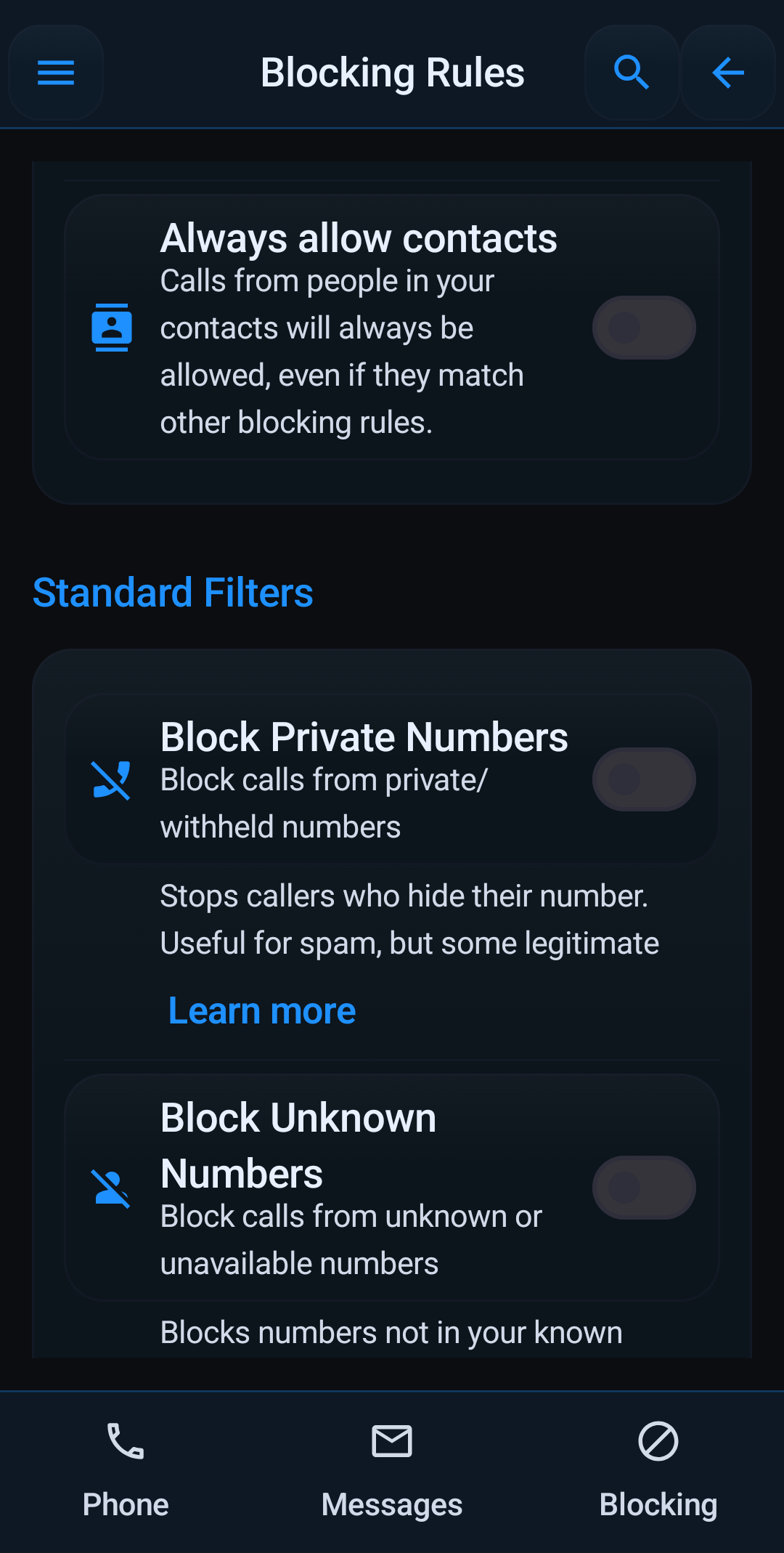
Android can block a few obvious calls, but real robocall reduction usually takes a stack of protections that work together. Block Guard now covers both the blocking decision and the review tools you need after the call is stopped.
Turn on the protections that stop robocalls fastest
- Known spam blocking stops numbers found in Block Guard's local community spam database.
- Neighbor spoofing protection catches fake local numbers that copy your area code and prefix.
- Anti-spoofing using STIR/SHAKEN helps catch calls that fail carrier verification.
- Unknown, private, and foreign caller filters let you tighten the net when robocalls are coming from broad categories instead of one number.
- Call storm and rotating-prefix campaign protection handles the burst behavior common in robocall waves.
Use lists and exceptions together
- Block exact numbers, whole prefixes with wildcards, regex patterns, area codes, or country codes.
- Keep real people reachable with your whitelist, favorite contacts, always-allow contacts, and always-allow favorites.
- Use the repeat-caller exception, allow-if-called-recently, and allow-if-texted-recently when you want to stay aggressive without blocking normal follow-up calls.
- If Block Guard blocks a legitimate robocall-like number once, you can open the detail view and use Allow once or whitelist it permanently.
Automation matters more than manual blocking
Block Guard Mode, blocking profiles, and scheduled profiles are a big part of the app now. Instead of turning rules on and off by hand, you can create a Sleep, Work, or Focus profile and let it activate automatically.
- Profiles can carry strict mode, unknown/private/foreign rules, text blocking, and your main blocklist or whitelist.
- Schedules support weekdays, weekends, every day, and cross-midnight windows.
- DND override contacts can still get through when you want quiet without full isolation.
Check what was stopped and tune the next wave
- Blocked Call Log shows the reason, action, and follow-up actions for each blocked call.
- Protection Center gives you recommendations when key robocall protections are still off.
- Analytics shows trends, top reasons, and the numbers or patterns that keep appearing.
- Weekly Report gives a seven-day summary so you can confirm the app is still catching the junk you care about.
If the robocalls look local, the most important related guide is neighbor spoofing protection. If you want a profile-based setup, go next to blocking profiles and schedules.
Quick links: Full Features · Neighbor Spoofing · Profiles & Schedules · Protection Center